Invoice Saathi

Help centre

How to change the app language and the bill language

There are two settings: what you see, and what your customer sees on the bill.

App language is per phone

Open the menu and use App language, or find it in Setup. It changes the menus on this device only.
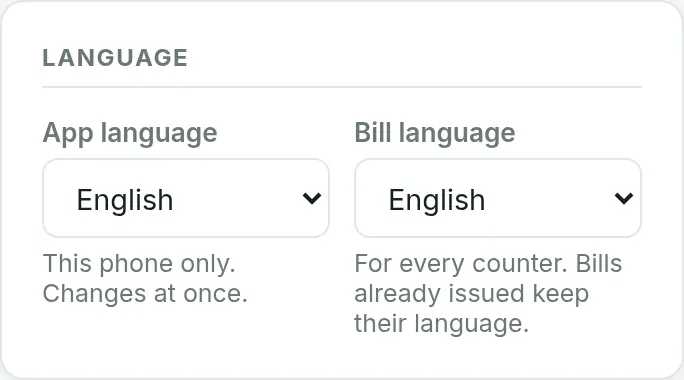

Setup Language section with App language and Bill language selectors

Bill language is for the whole shop

In Setup, choose Bill language. Every bill you issue from now on prints in it.
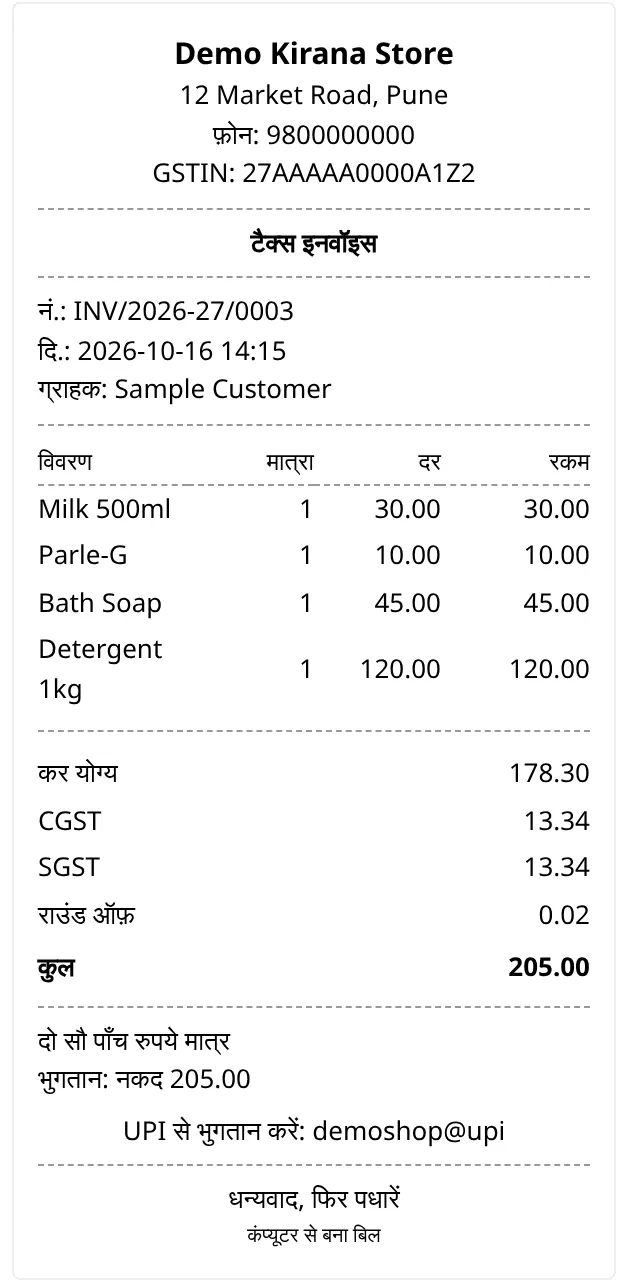
A bill printed in Hindi

Want English next to each label?

In Setup, when you pick a language other than English, tick Also print English next to each label.
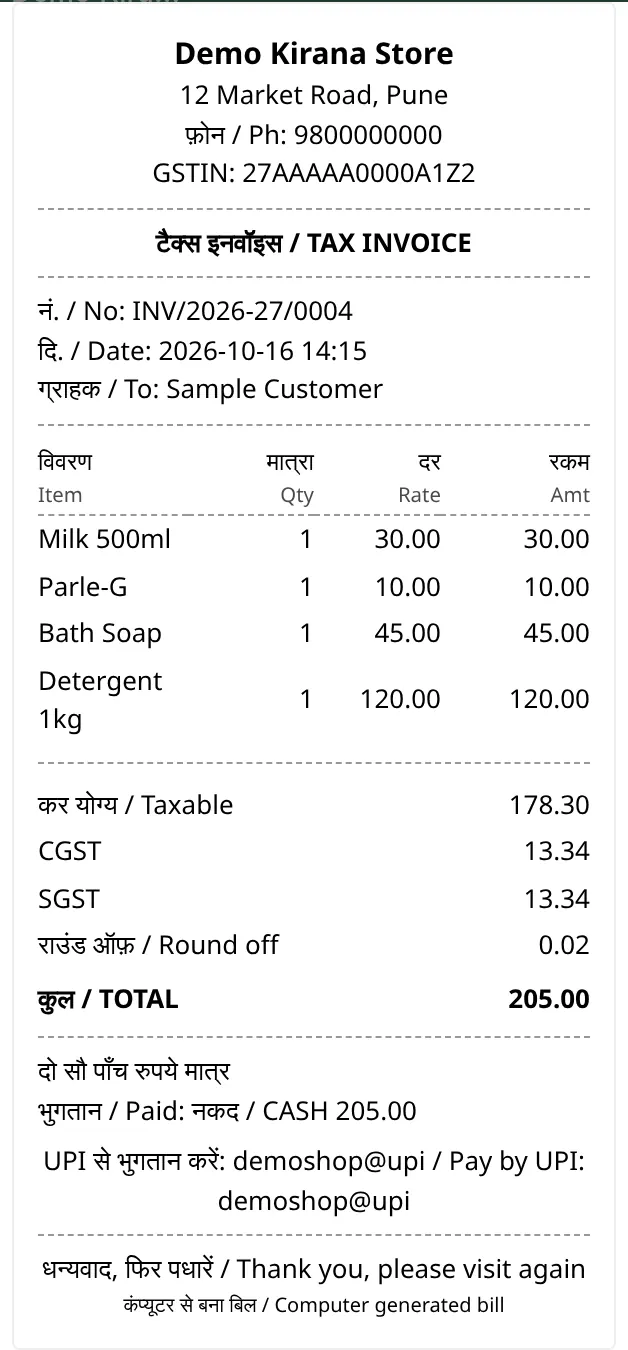
A bill printed in Hindi with English next to each label

Good to know

  • An old bill reprints in the language it was issued in, not today's setting.
  • Digits and amounts stay in ordinary numerals in every language.

FAQ

Common questions

Which languages are supported?
Eleven: English, Hindi, Marathi, Gujarati, Tamil, Telugu, Kannada, Bengali, Malayalam, Punjabi and Odia.
Can the bill and the app use different languages?
Yes. App language is per phone and changes your menus. Bill language is for the whole shop and changes what your customer sees on the bill.
Can I print English next to each label?
Yes. In Setup, when you pick a language other than English, tick Also print English next to each label.

Free to start, INR 2,500 or INR 5,000 a year.

Start free