Invoice Saathi

Help centre

How to export your bills, items and customers

Your data is yours. Exporting works on every plan, including free and lapsed ones.

All invoices, for your CA

In the menu tap Records, then Download all invoices (CA). Send the file to your accountant.
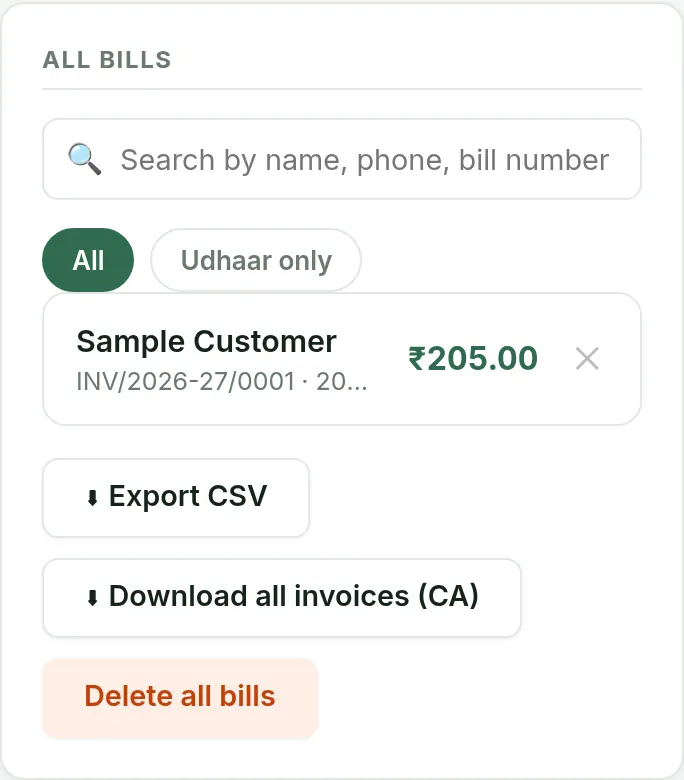
Records screen with bills today, net sales, the bill list and the Download all invoices (CA) button

Items and customers

In the menu tap Import. Use Items CSV to download your items and Parties CSV to download your customers and suppliers.
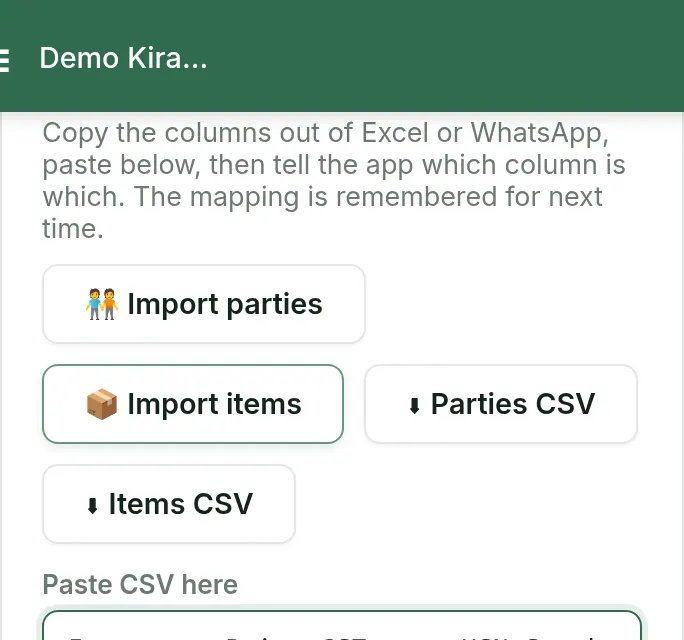
Import screen with the Import items, Items CSV and Parties CSV buttons

Good to know

  • If your plan ends, you can still open and export all your bills.

FAQ

Common questions

How do I send my bills to my CA?
In the menu tap Records, then Download all invoices (CA), and send the file to your accountant.
Can I export on the free plan?
Yes. Exporting works on every plan, including free and lapsed ones.
What format is the file?
A CSV file, which opens in Excel and Google Sheets.

Free to start, INR 2,500 or INR 5,000 a year.

Start free